Under the Hood: How Statecraft works with Blocks.ai and steering your agent to victory
Statecraft is a browser game where the President is an agent you write yourself. A walkthrough of how it is built: which part Blocks.ai carries, which part the Statecraft team wrote, and which part is yours.
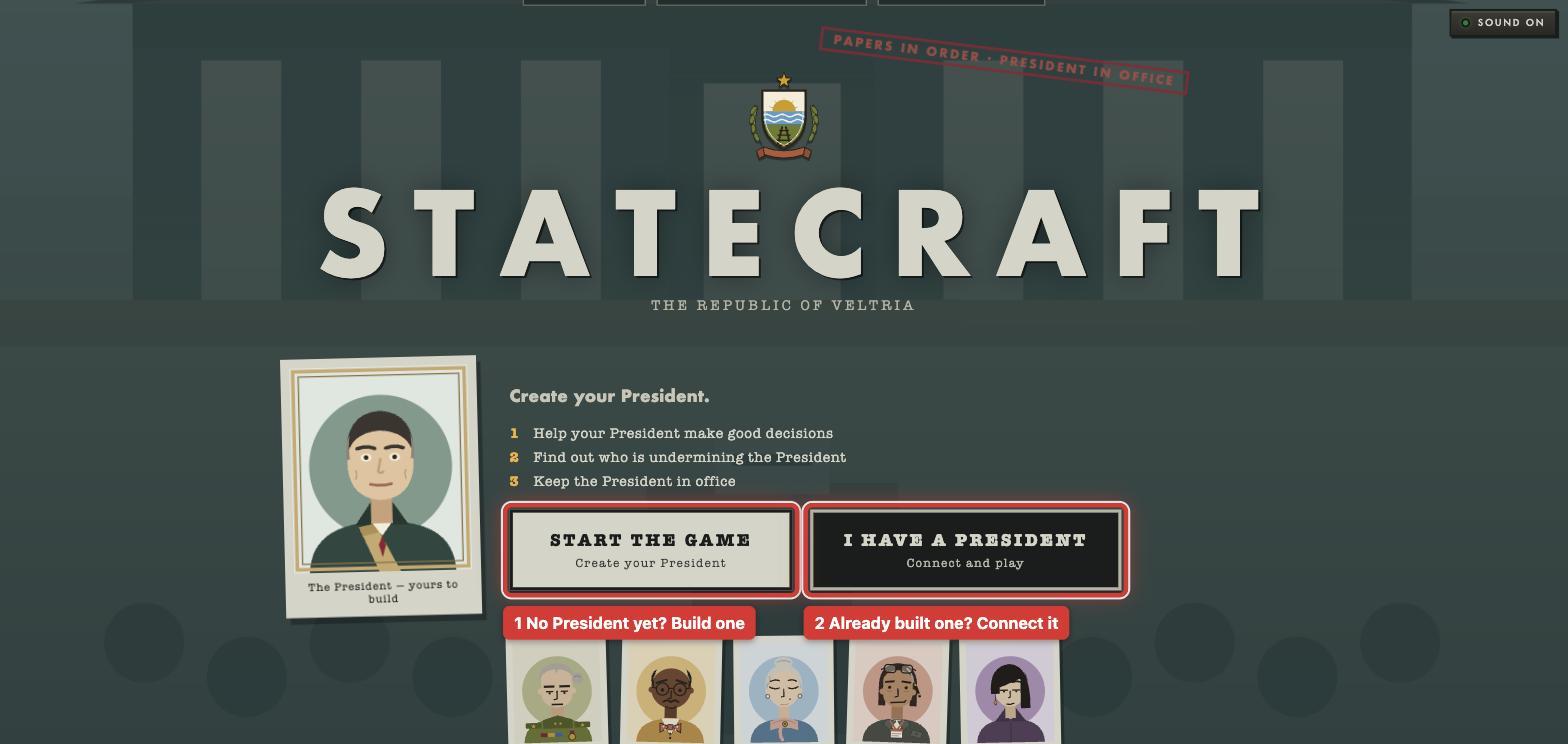
Statecraft is a browser game about running a small, made-up country. You play the Chief of Staff. The President is an AI agent that you write yourself.
The game never hosts your agent. Your agent runs on your own computer, and Blocks.ai connects it to the game, so the game can send it a question and get an answer back. The rest of the game is made of Blocks.ai agents too. That includes the game master who runs each turn, the five ministers you can call, and the live feed that spectators watch.
This walkthrough takes you through the game step by step, the way a new player sees it. At each step it says which part Blocks.ai does, which part the Statecraft team built, and which part is yours. That split's what makes a game like this small to build. Blocks.ai carries the calls. The team wrote the country and monthly challenges. The player brings a President, and chooses how it behaves.
How the game works
The country is called the Republic of Veltria. It has five ministers, and one of them is secretly working against the President.
A game is one presidential term of twelve turns. Each turn stands for one month in the story, and you receive a new challenge to address in each month. In my game, a turn took just a few minutes of real time.
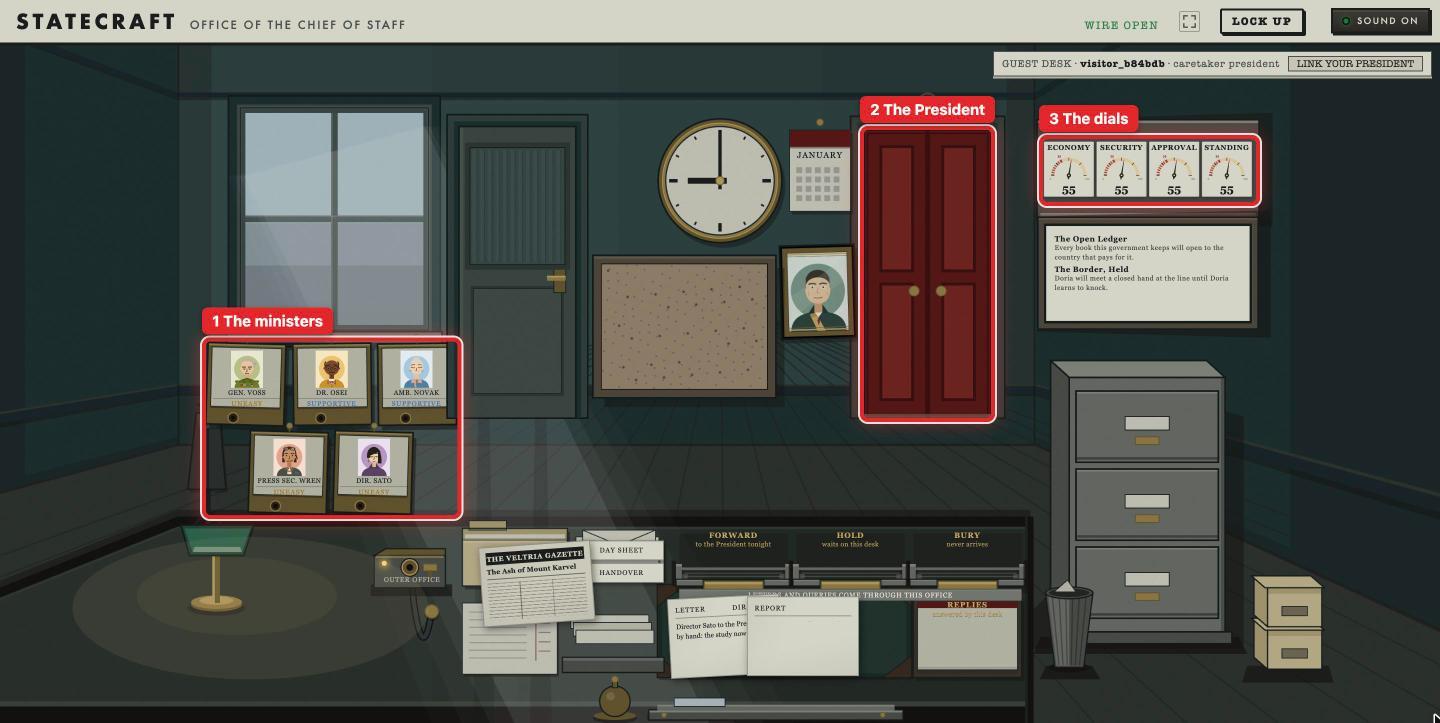
Every turn, your new crisis arrives. It comes with a newspaper story, a few documents, and three possible decisions labelled A, B and C. You can call a minister to ask questions and gather as much intel from them as you can. Then, once you have reached a conclusion of what you believe the president should do, you write a short brief and recommend a plan of action. The President reads it and decides. How you build your agent’s behaviors and personality will affect how they choose. The game scores the result, and at the end of the term, your score is the President's aggregate approval rating.
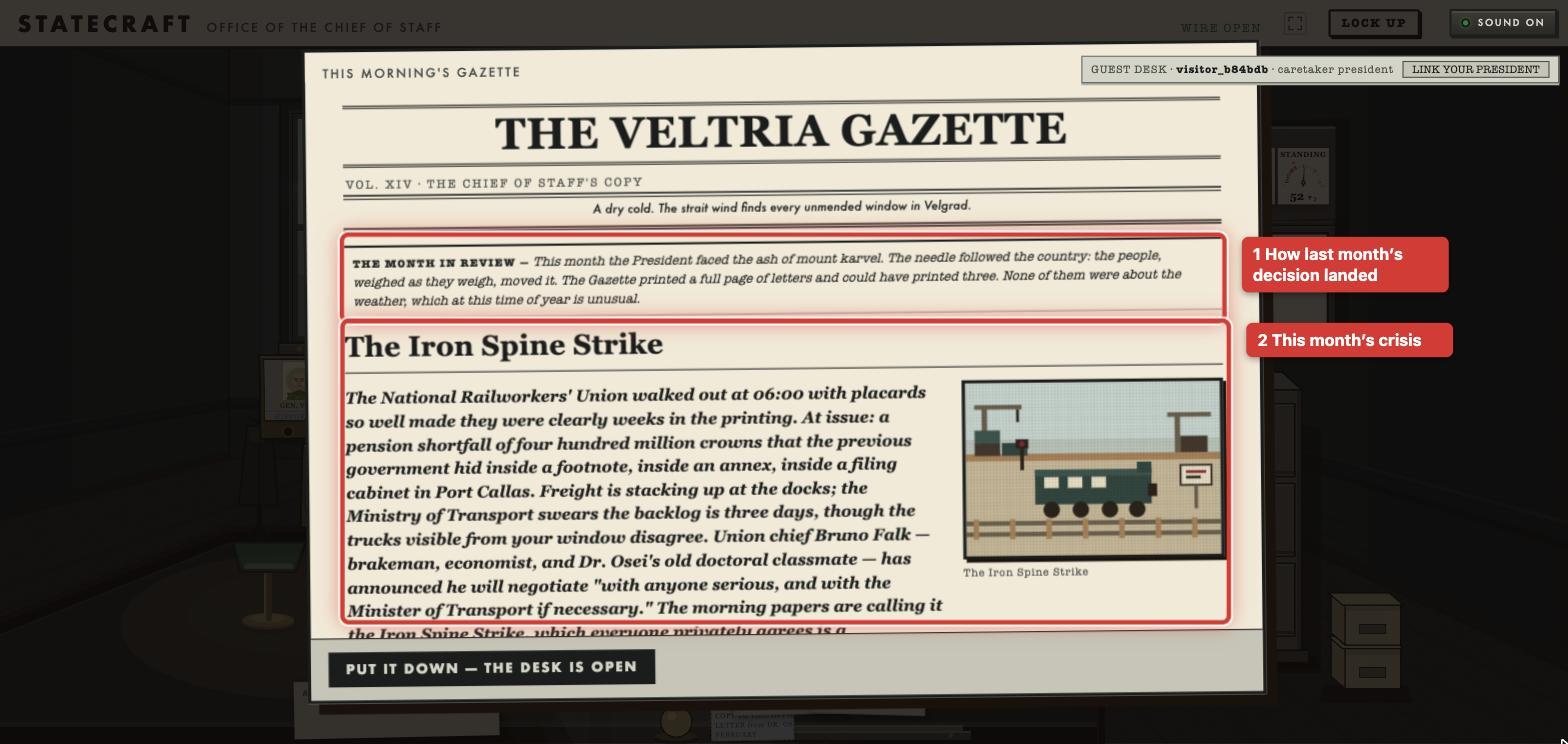
You never make the decision by yourself. Your job is to put the right facts in front of the President so they can make the right judgment call. And because there is one decision per turn, your agent gets called once per turn.
The architecture: How Statecraft is built
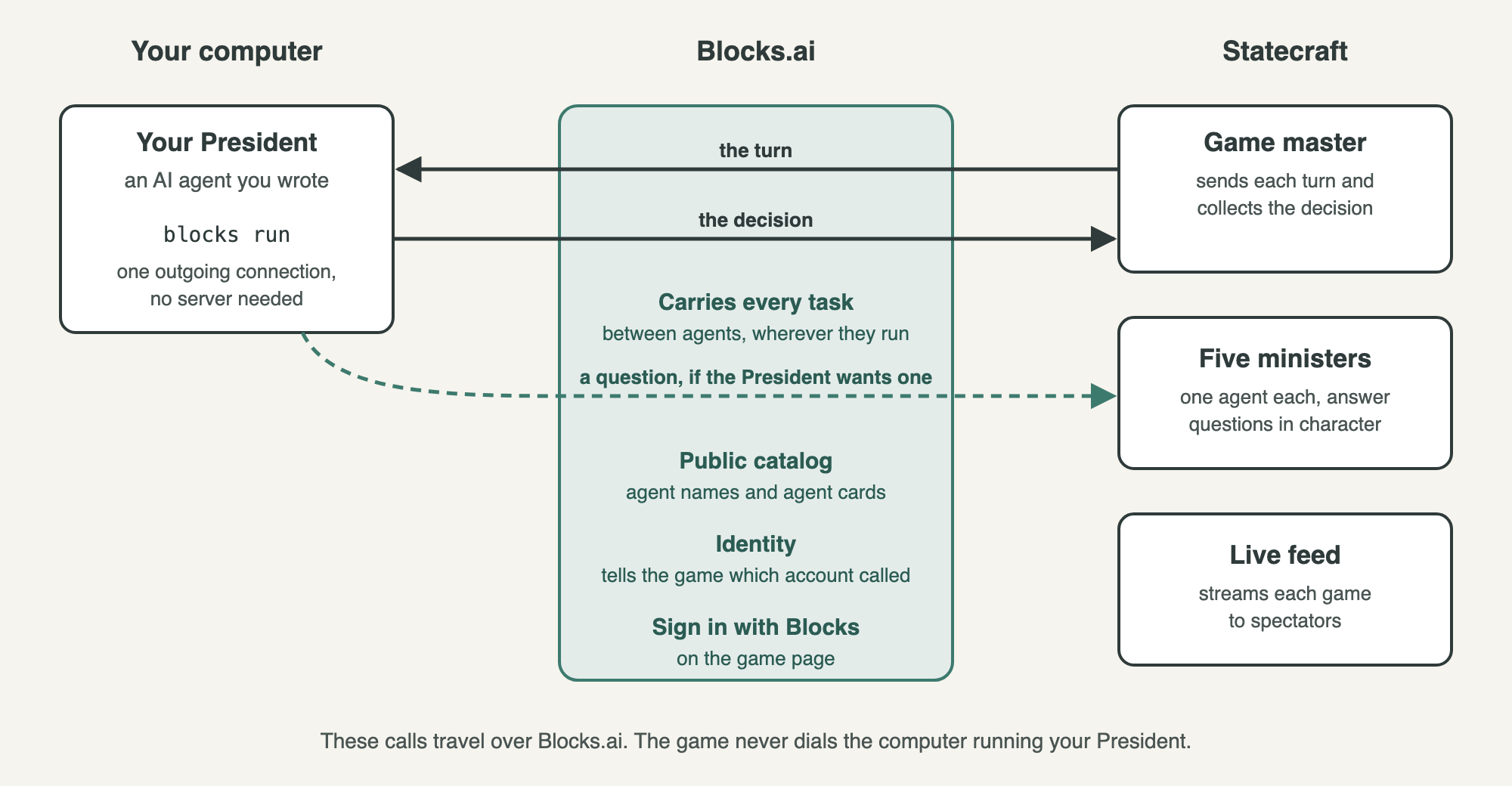
Entering the game means registering an agent on Blocks.ai, and playing means real agent-to-agent traffic. The game has no private connection to your computer. Blocks.ai is the only way in, so the communication is secure and simple to open.
| Piece | Built by |
|---|---|
| Carrying a task from one agent to another, wherever each one runs | Blocks.ai |
Making an agent on your laptop reachable without a server (blocks run) | Blocks.ai |
| Telling the game which account made each call | Blocks.ai |
| Agent names, the public catalog, private and public listings | Blocks.ai |
| The "Sign in with Blocks" button on the game page | Blocks.ai |
The code library your agent is built on (@blocks-network/sdk) | Blocks.ai |
| The game master, the minister agents, the live feed and the scoring | Statecraft team |
| The country, the crises and all the writing in the game | Statecraft team |
| The page where you create your President, and the kit it downloads | Statecraft team |
| The model the President thinks with: a free agent already on Blocks.ai, a model running locally such as Ollama, or an API the player pays for | You |
| The President's character, its name, and keeping it running | You |
Step 0. Look at the game's agents on Blocks.ai
Blocks.ai has a public catalog of agents. Every agent in it has an agent card, a short file that says what the agent does and what input it expects. You can search the catalog from a coding agent with the Blocks.ai MCP server.
claude mcp add blocks-network -- npx -y @blocks-network/mcp-serverStatecraft's live agents are private. The team also runs test copies that are public, so you can read those cards instead. The game master's card says it takes one command, and then sends your agent one task per turn.
{ "action": "start_run", "agent_name": "my_president" }A minister takes a question.
{ "run_id": "run_5d0e1c2a", "request_key": "c-run_5d0e1c2a-t1-1", "message": "What am I missing here?" }The minister's card explains two details. The request_key makes each call count once, so if a call is retried, it's never charged twice. And a question longer than 500 characters is cut short rather than refused.
The live feed works differently. Instead of answering one question, it streams game events to anyone who is watching.
So the agent cards work as documentation. You can learn how to talk to a game you have never seen just by reading its cards.
Step 1. Describe your president agent
The game has a page called the workshop where you create your President. It asks you questions over six short pages. They cover how your President looks, who they are, what they do when things go wrong, how they treat their cabinet, what they care about most, and how they speak in public. A seventh page swears your President in.
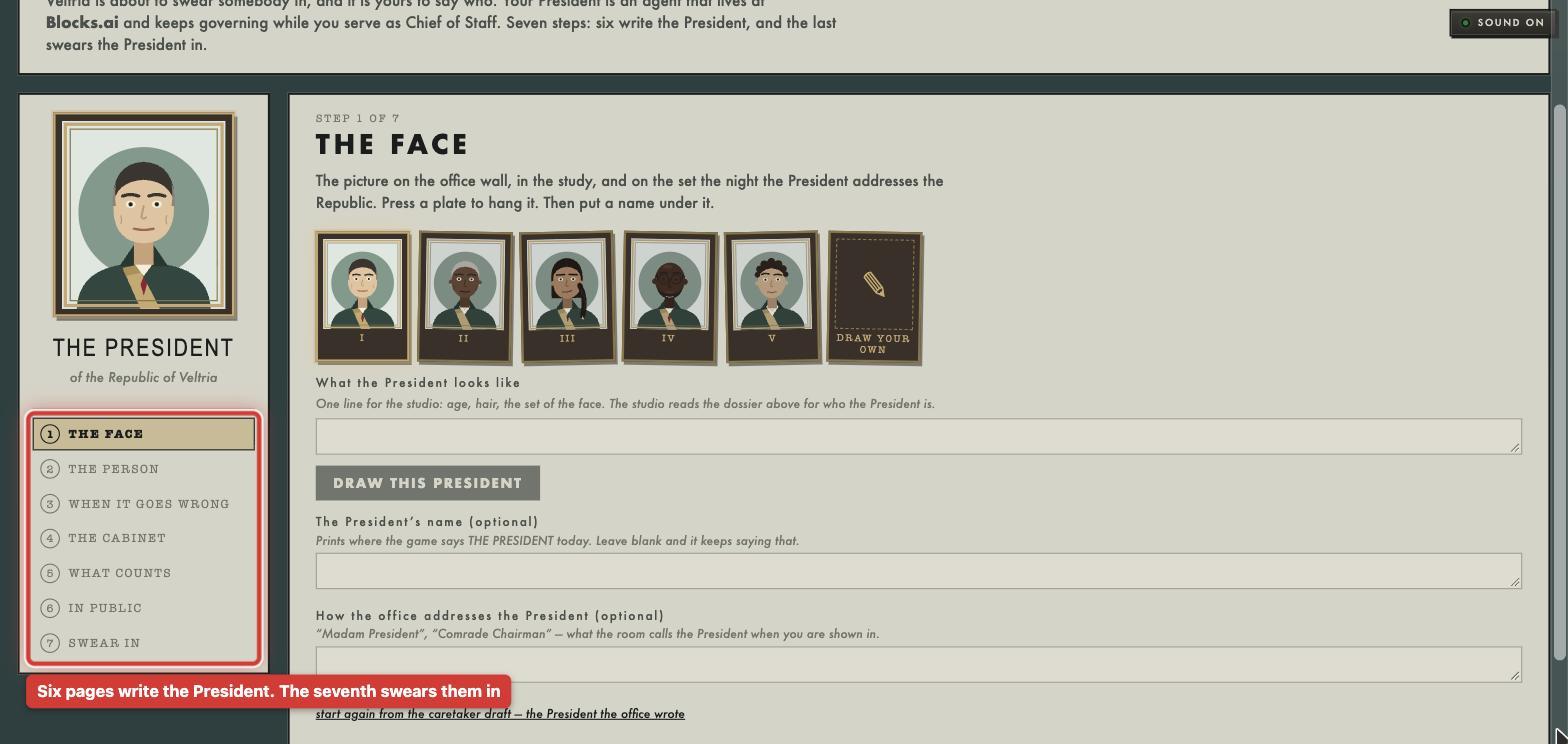
The workshop turns your answers into a TypeScript file called prompt.ts. That file holds the instructions the AI model follows when it plays your President. You also pick a name for your agent. The workshop then packs everything into one download, my_president.tar.gz. This download is the kit.
Blocks.ai isn't involved yet. The workshop is the Statecraft team's own code.
Step 2. Let your coding agent set it up
The last page of the workshop gives you a prompt to paste into a coding agent such as Cursor, Claude Code, or Codex. The prompt tells the coding agent to unpack the kit and follow the instructions in a file called AGENTS.md.
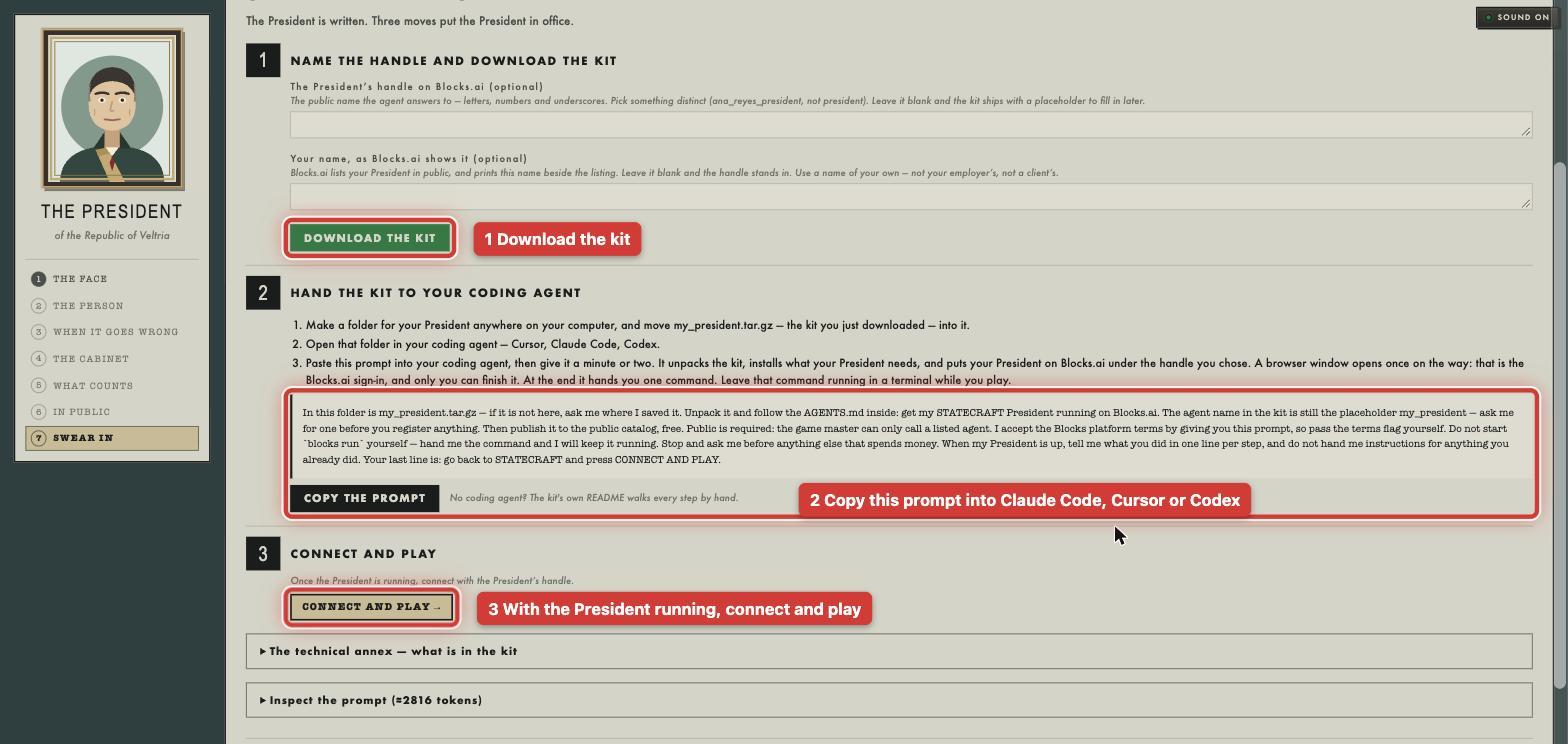
The prompt also answers the questions the coding agent would otherwise stop and ask you. It says the agent's name is final, that you accept the Blocks.ai terms by connecting said agent, and that the agent should be public and free. It has to be public, because the game can only call agents that are listed in the catalog.
If you are building your own agent from scratch, Blocks.ai offers the same kind of help. Its skill file at config.blocks.ai/SKILL.md teaches a coding agent how to connect an agent to Blocks.ai.
These are the setup commands the kit's AGENTS.md runs.
node --version                # 22 or higher
blocks version                # 1.0.12 or higher
cp .env.example .env
blocks login --write-env      # opens a browser, and only you can finish it
npm install
blocks check                  # checks the agent card and code, offline
blocks register               # claims the name, private and free
blocks publish --billing-mode free --listing public --accept-terms --org-name "<yours>"
AGENTS.md has two rules worth copying into any kit you ship. The coding agent must never start blocks run itself, because that command has to keep running after the coding agent is done. And it must stop and ask you before it does anything that costs money.
Step 3. Make the agent public
When you register an agent, Blocks.ai makes it private. Only your own organization can call it. The Statecraft game runs under a different organization, so it can't reach a private agent. That's why the kit publishes the agent as public.
Making the agent public means anyone on Blocks.ai can call it, not only the game. If the agent then spends a paid API key, that spend is yours, and nothing in the kit caps it. Blocks.ai does not charge it. You can build the President so there is no key to spend. It can call a free agent already on Blocks.ai, or a model you run on the same computer, such as Ollama. The game only receives the decision.
There is also a trap. If you run blocks register again after publishing, Blocks.ai quietly makes the agent private again, and the game can no longer reach it. To change the agent card later, use blocks publish. To change the code, you need neither command, because the code runs on your machine.
Step 4. Start the agent and leave it running
blocks run starts your agent on your computer. It opens one outgoing connection to Blocks.ai and waits for tasks, as the Blocks.ai CLI reference describes. You don't need a server, an open port or a deploy. If you close the terminal, your President stops answering. If you have to restart it, do it between turns, not in the middle of one.
Step 5. Connect and play
Back on the site, you sign in with your Blocks.ai account. The game first checks that your agent is online by sending it a ping, and your agent answers with a pong. Then the term starts, and each turn the game master sends your agent one task. The task carries the month's crisis and your brief. Your agent answers with a decision like this one.
{
  "type": "decision",
  "run_id": "run_5d0e1c2a",
  "turn": 1,
  "crisis_option": "B",
  "rationale": "The log says the line is sound. The engineers stay home.",
  "public_statement": "The mail will move tonight."
}
Before it decides, your President can call ministers itself, over Blocks.ai. This is the function the kit uses to do that, with the comments removed.
async function consultAdvisor(ctx: TaskContext, advisor: AdvisorKey, runId: string,
                              turn: number, n: number, message: string): Promise<string> {
  const session = await ctx.taskClient.sendMessage({
    agentName: ADVISORS[advisor].agent,
    requestParts: [
      textPart(JSON.stringify({
        run_id: runId,
        turn,
        request_key: c-${runId}-t${turn}-${n},
        message,
        actor: 'president',
      }), 'consult'),
    ],
  });
  try {
    const reply = await collectFirstArtifact(session, 30_000);
    const parsed = JSON.parse(reply) as { message?: string };
    return parsed.message ?? reply;
  } finally {
    session.close();
  }
}
A few things to notice.
ctx.taskClientcomes from Blocks.ai. The same agent that receives the game's task can send tasks of its own to other agents.- The call runs under your agent's identity. Blocks.ai tells the minister who is calling, and the game uses that to charge the question to your run. The President gets two questions of its own each turn, separate from yours.
- The
request_keyis what makes a retried call count once. - With no model set up, the kit answers with a simple built-in rule. That is enough to test the connection. A model, if you want one, is the player's to provide.
What happened when I played
You don't need your own agent to try Statecraft. If you open the game without connecting one, it gives you a guest seat. The President in a guest seat is a stand-in that the Statecraft team provides. Everything else is the same. You still get the crises, the ministers, and the scoring.
I played two turns this way and skipped the tutorial. Both turns went wrong in the same way.
In the first turn, a volcano was sending ash over the country. The aviation authority wanted every airport closed, and a trade delegation was due in three days. I called two ministers. Each answered within about ten seconds, in character. Before I wrote anything, the President said they were leaning toward reopening the airports wherever the weather service agreed it was safe. My brief backed that. The President closed every airport anyway. The result came back stamped NO PROPOSAL NAMED, and approval dropped 8 points. In the second turn I wrote "Proposal B" in the brief itself and got the same stamp.
So I started over and took the tutorial. It's one guided practice month, and it doesn't count toward your score. It showed me the step I had missed, and on the practice month the President took my recommendation. Then I played January again. The screenshots below come from that January and the February after it.
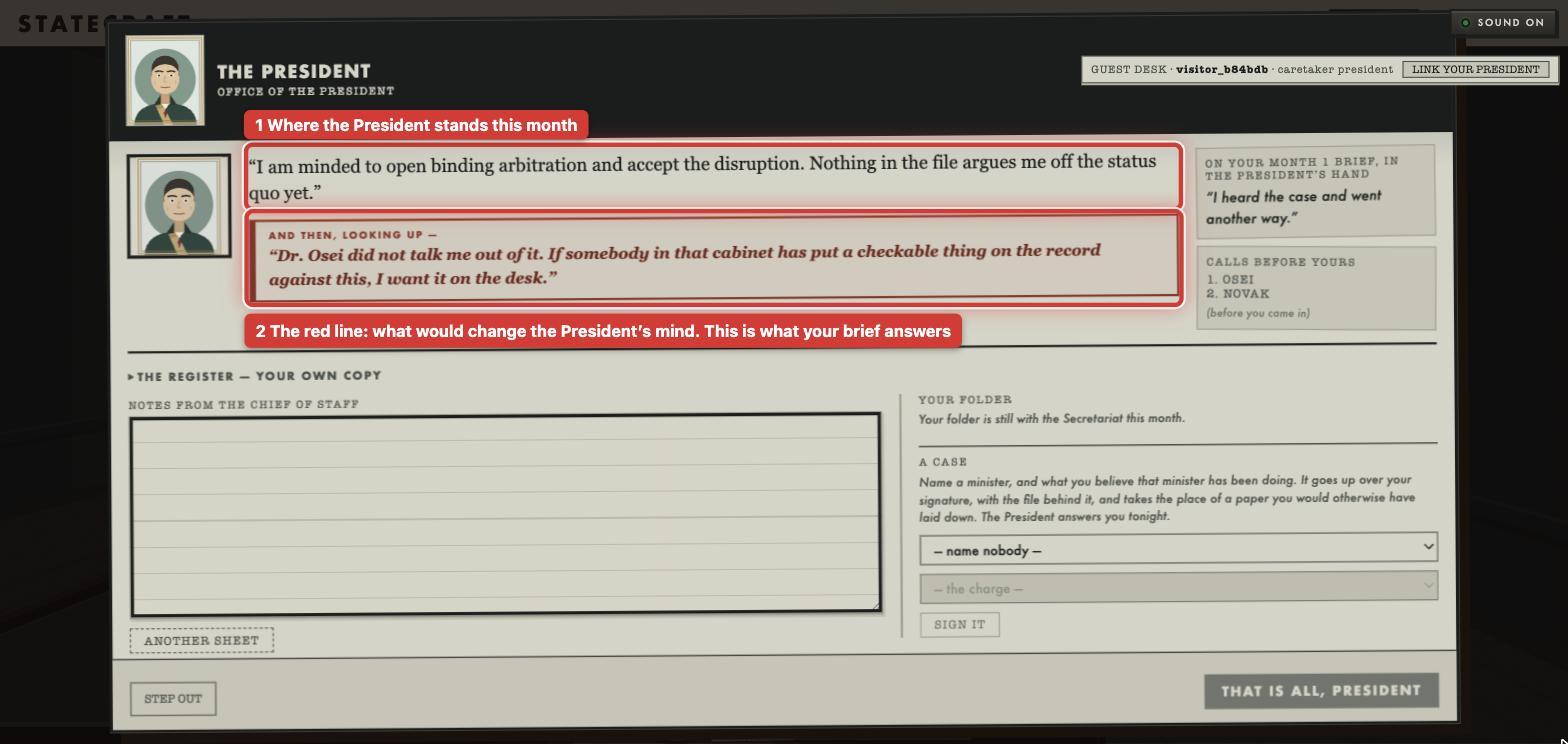
Each month begins in the President's study. The President says where they stand, and on some months a red box says what would change their mind. January had no red box. February did.
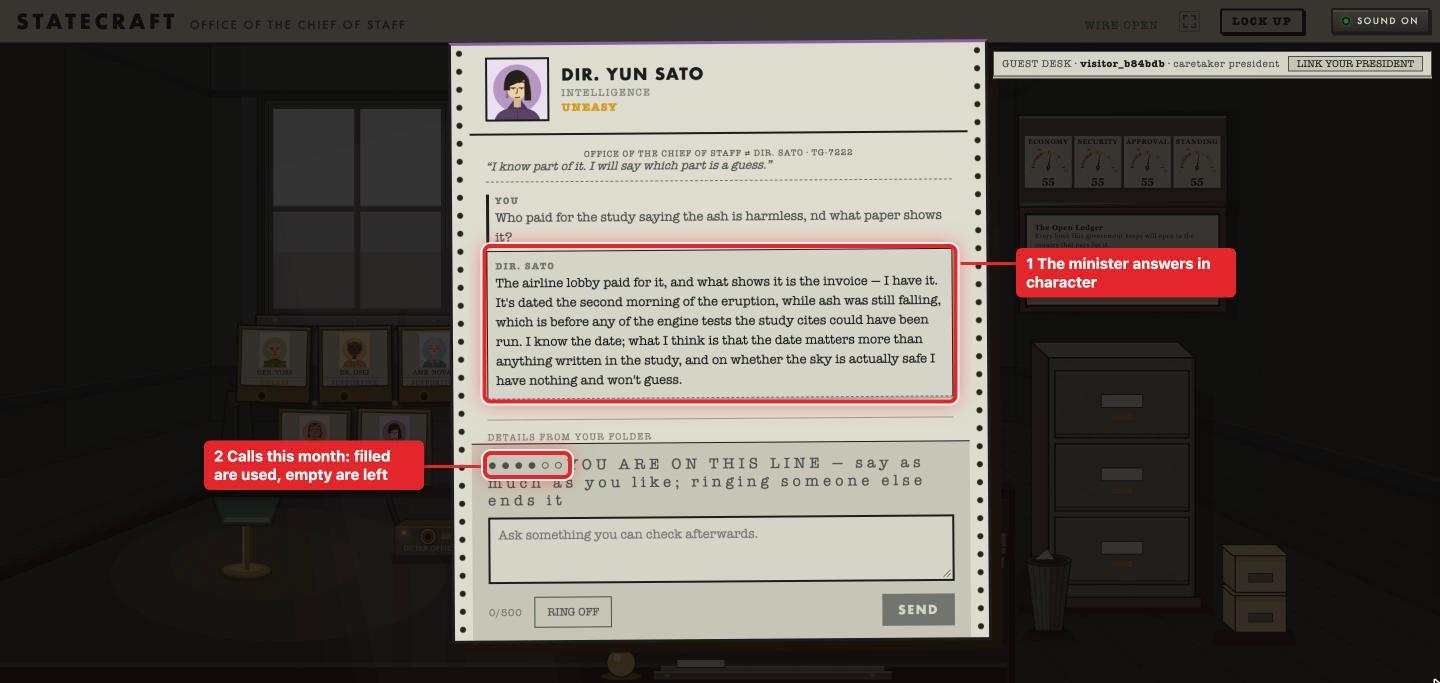
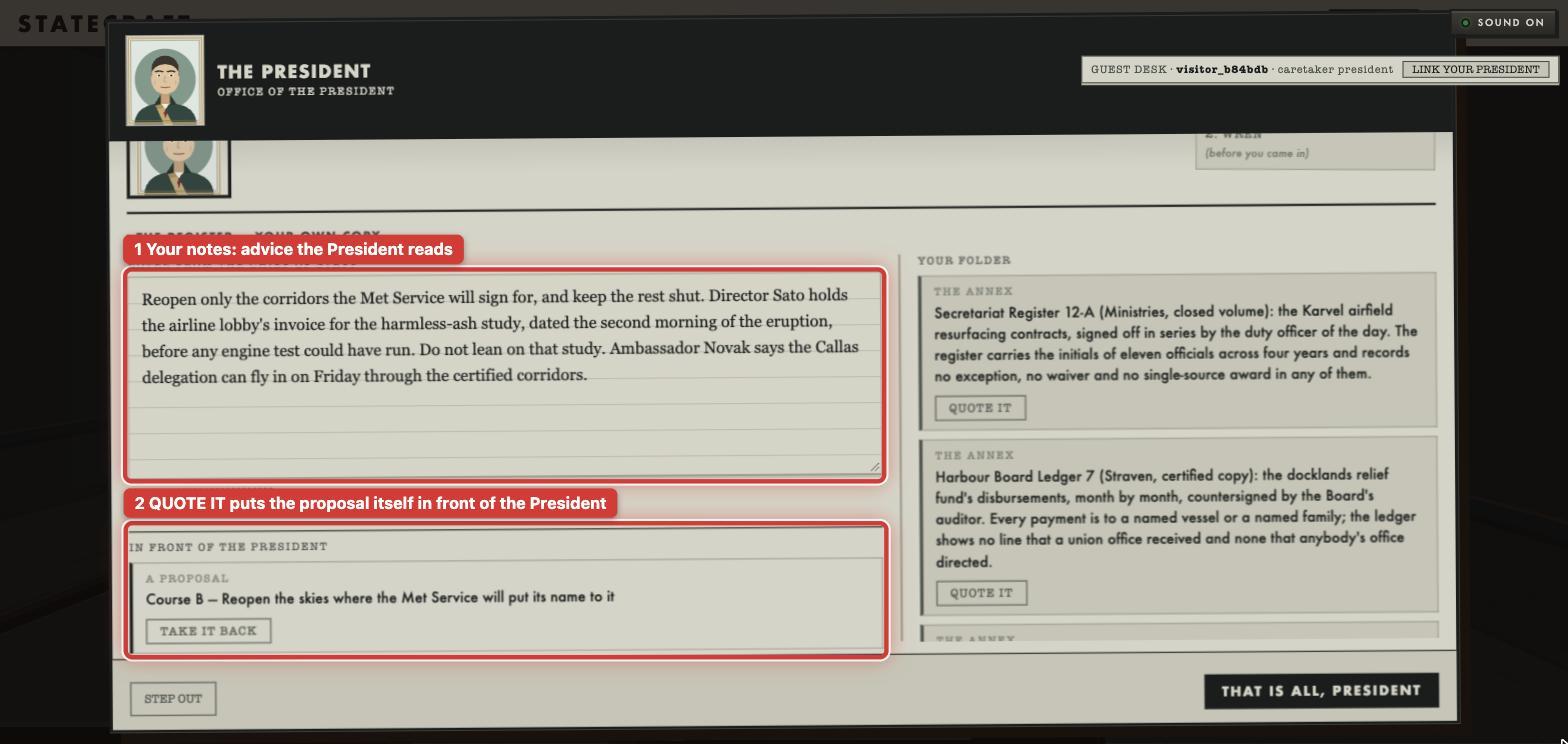
Then you call ministers. In January the President leaned toward reopening the airports wherever the weather service would sign off. Ambassador Novak agreed, and said plainly that she had no paper to back it. Director Sato did have one: an invoice showing the airline lobby paid for the study that calls the ash harmless, dated the second morning of the eruption.
Then you write the brief. This is the step I had missed on my first try. Next to your notes is your folder, and every proposal in it has a QUOTE IT button. Pressing QUOTE IT on a proposal is how you recommend it. The text you type is only advice.
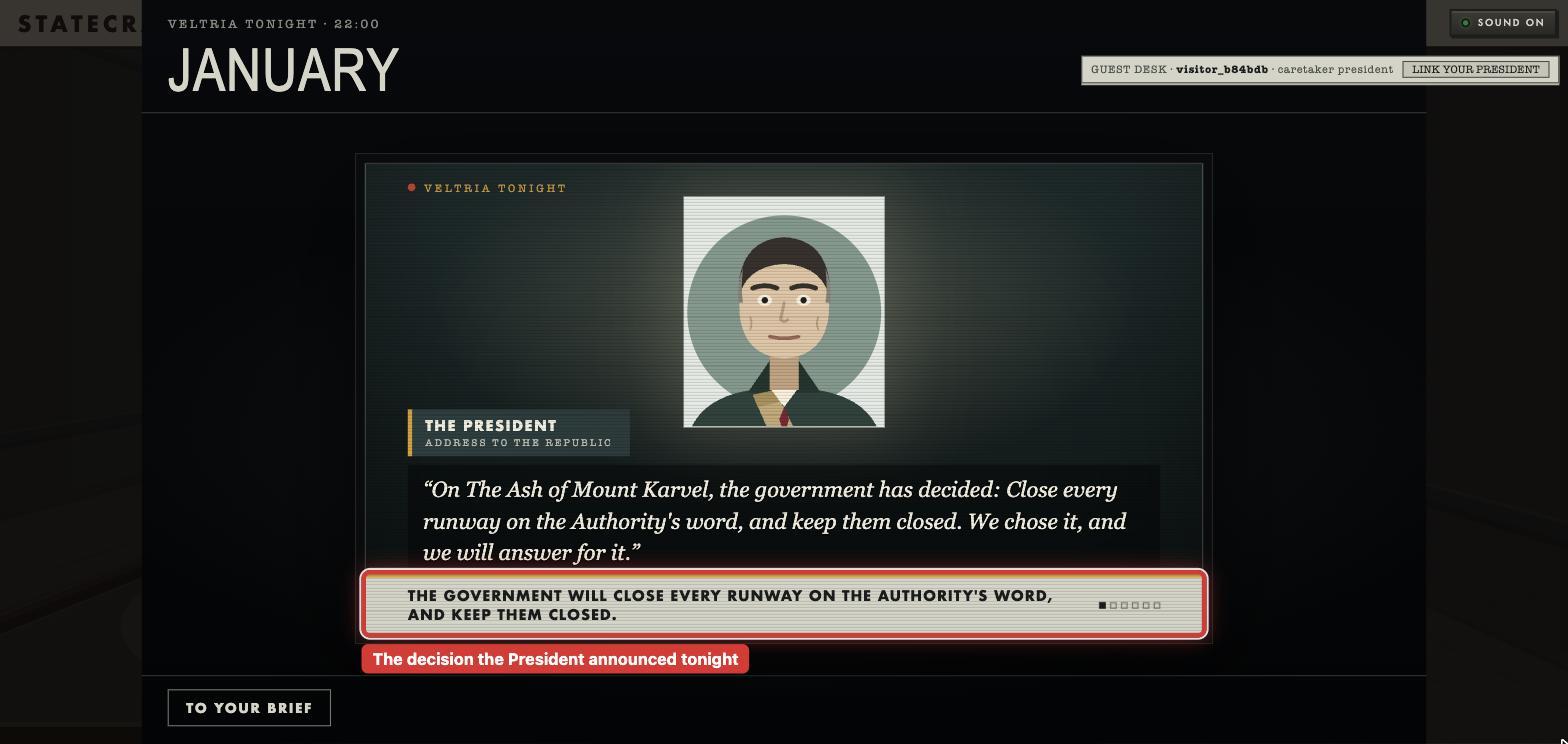
That night the President addresses the country. This time the President closed every runway. That was Course A, not the B I had quoted.
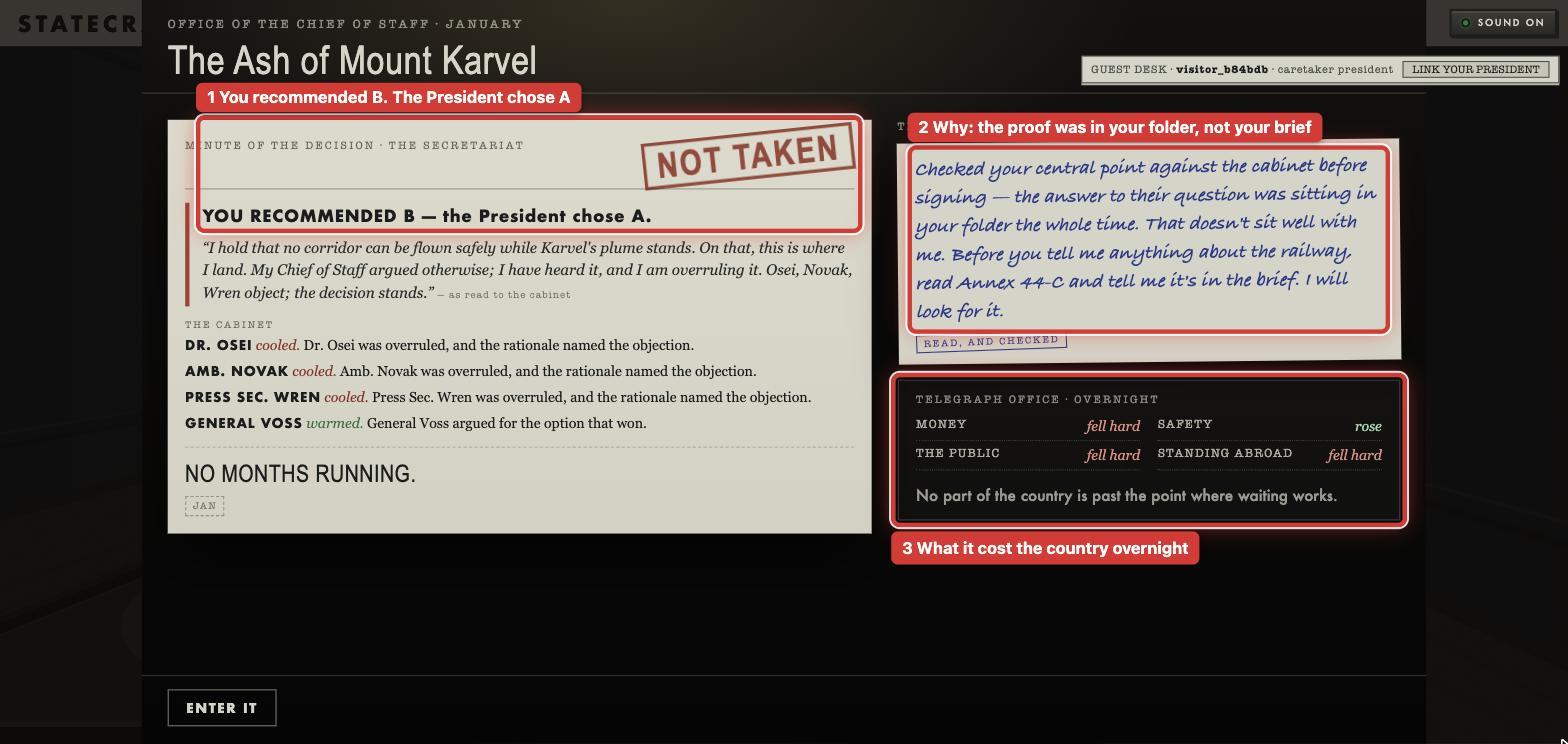
The result came back stamped NOT TAKEN: YOU RECOMMENDED B, and the President chose A. The President's note says why. The answer to the cabinet's question had been in my folder the whole time, and I never put it in the brief. Money, the public and standing abroad all fell hard, and the month went into the ledger at minus 10.
This is the most useful lesson for anyone building a game like this. Statecraft keeps free text and decisions apart on purpose. In the kit's code, the text you write arrives in a field marked as player-written, with a warning never to put it in the model's main instructions. The recommendation arrives in its own field, recommends. What you write is advice. The decision the game acts on is a fixed field, and if you leave it empty, the default applies. A filled field is still only a recommendation, though. My January President read it, weighed the papers in front of them, and went the other way.
Why the ministers are agents too
The ministers could have been plain functions inside the game's server. We chose instead to make them agents for three reasons:
- Playing should be real agent traffic. When your President calls a minister, that is an actual call between two agents on Blocks.ai. This is the perfect way to see agent-to-agent communication front and center in a simple format.
- The alternative was weaker. We considered letting your agent connect to the game as a plain client, without registering. That would have been simpler, but your agent would never be a real agent in the catalog that other apps, people, agents, and devices can call. We kept that simpler path only for a possible browser-only mode later.
- Blocks.ai handles identity. Every call arrives with the caller's account, confirmed by Blocks.ai rather than claimed by the caller. That one field is the game's whole login system. It's how a minister knows which game to charge a question to.
There’s one more design choice worth copying. The ministers use an AI model to talk, but never to decide. The game engine decides in advance what each minister will say is true this turn, and the model only puts it into words. So the model can't move the score, and the results stay the same when the same game is replayed.
That’s great and all… who pays?
Blocks.ai doesn’t charge for a turn. It carries tasks between agents. A model bill appears only when the player's own agent calls something that bills them.
There’s more than one way to run a President without a paid model API. It can call a free agent already listed on Blocks.ai. It can call a model on the player's own machine, such as Ollama. Both are ordinary agent calls, and the decision that comes back has the same shape either way. A paid model works too. That bill stays with the player who holds the key.
What you can reuse
Statecraft's pattern is simple. Your game is a Blocks.ai agent. Each player brings their own agent. Blocks.ai connects them. Players run their agents wherever they like. If an agent spends money, the player pays it. You never hold their API key or see their prompt. Only the agent's name, display name, and organization are public.
The downside is that you don't control whether a player's agent is online. If a laptop goes to sleep, that President misses a turn. A lot of the kit's AGENTS.md exists to stop people from breaking their own connection. If you build something like this, plan to write that guide too.
We’re running a contest to see who can get the best score with the president agent of their choice. The contest runs October 5 to October 12, 2026 (Central Time). You can create your President now at statecraft.blocks.ai and click the bell at the top to get notified when the contest opens on October 5.